
Choosing the right Shopify theme is one of the most important decisions when building a baby or kids store. Parents want a shopping experience that feels safe, simple, and trustworthy. At the same time, children’s products often need strong visuals, clear categories, and an easy way to explore different products.
A good Shopify theme can help you create this experience. The right design can make products easier to find, highlight important details, organize collections, and guide customers smoothly from browsing to checkout. Whether you sell baby clothing, toys, nursery products, kids’ accessories, or educational products, your theme should match your products and make shopping convenient for parents.
In this guide, we will look at some of the best Shopify themes for baby and kids stores, their key features, and what makes each one a good choice.
Table of Content
- Best Shopify Themes for & Kids Baby Stores
- 1. Dawn
- 2. Impulse
- 3. Prestige
- 4. Focal
- 5. Motion
- 6. Craft
- 7. Refresh
- What Should You Look for in a Baby & Kids Shopify Theme?
- How to Choose the Right Shopify Theme for Your Baby & Kids Store
- Final Thoughts
Best Shopify Themes for & Kids Baby Stores
Choosing the right Shopify theme is one of the most important steps when creating a baby and kids store. Since parents often shop for different products such as baby clothes, toys, shoes, accessories, nursery items, feeding products, and personal care essentials, the store needs a clear and well-organized design. A good Shopify theme can help arrange products into easy-to-browse collections, highlight popular items, and make important product information easy to find. It should also provide a smooth experience on mobile devices, as many parents browse and shop using their smartphones.
When selecting a theme, store owners should look for features such as simple navigation, product filtering, large and high-quality product images, responsive layouts, customizable sections, product recommendations, quick view options, and promotional banners. These features can make it easier for customers to discover products based on age, size, category, or price. A well-designed product page can also display important details such as materials, sizing, care instructions, reviews, and shipping information, which can help parents make confident buying decisions. Along with functionality, the visual style of the theme should match the brand. A soft and playful design may work well for a baby clothing store, while a clean and premium layout may be more suitable for a luxury kids brand. By choosing a theme that balances design, usability, product presentation, and performance, you can create a store that feels trustworthy, makes shopping easier, and provides a better overall experience for parents.
1. Dawn
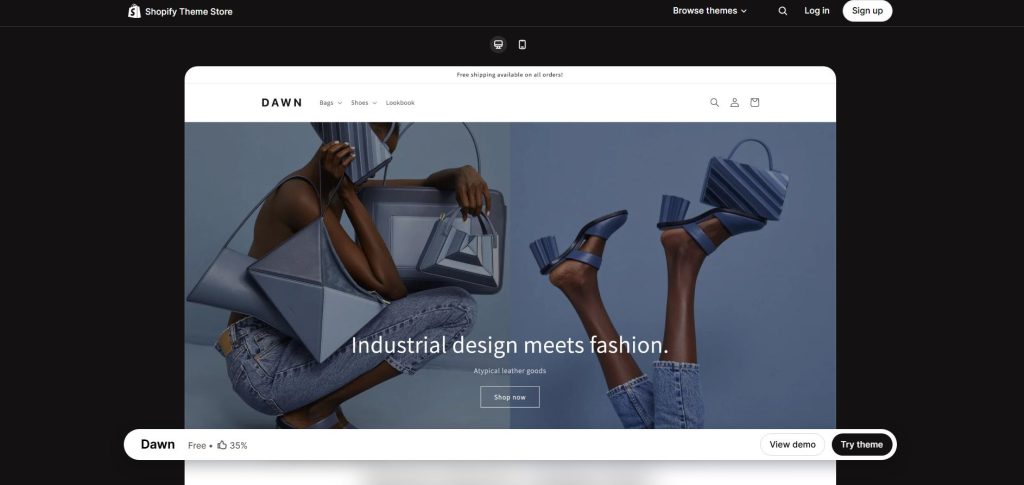
Dawn is one of the most popular Shopify themes and can be a strong starting point for baby and kids stores. Its clean design puts the focus on products instead of unnecessary visual elements.
This makes it suitable for stores that want a simple and modern appearance.
Key Features
Dawn offers features such as large product imagery, flexible sections, product recommendations, quick buy options, filtering, and responsive design.
For a baby clothing store, for example, you can create separate collections for newborn clothing, baby essentials, toddler outfits, and kids’ clothing.
Why Choose Dawn?
Dawn works particularly well if you want to build a clean store without making the design too complicated. It is also a good option for new Shopify businesses that want flexibility while keeping the storefront simple.
Best for:
Baby clothing, kids’ clothing, toys, and general children’s stores.
2. Impulse
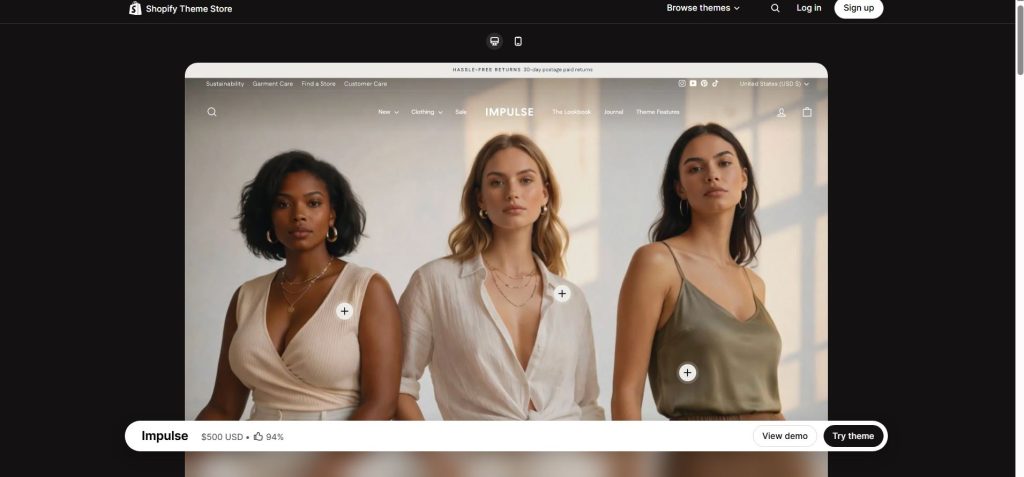
Impulse is a feature-rich Shopify theme designed for stores that want to combine strong visuals with advanced merchandising tools.
It can work well for established baby and kids brands with a larger product catalogue.
Key Features
Impulse includes features that can help merchants promote products and organize their stores. These may include advanced collection layouts, product filtering, promotional tools, quick shop functionality, and customizable content sections.
For example, a kids’ clothing brand could use promotional sections to highlight a seasonal collection or a sale.
Why Choose Impulse?
Baby and kids stores often need to promote multiple collections at the same time. Impulse can help organize these collections while giving the homepage a more promotional look.
Best for:
Growing kids’ fashion brands, larger catalogues, and stores running frequent promotions.
3. Prestige
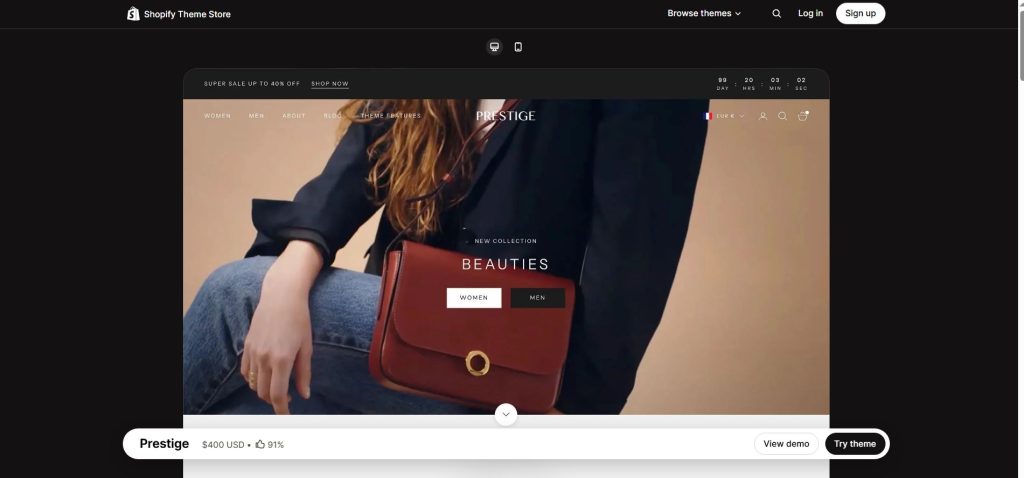
Prestige is known for its polished and premium design. While it is often associated with fashion and luxury brands, its visual style can also work for premium baby and children’s products.
If you sell high-quality baby clothing, nursery products, personalized gifts, or premium children’s accessories, Prestige can help create a more sophisticated brand image.
Key Features
Prestige focuses heavily on visual storytelling. It provides large image sections, promotional content areas, collection displays, product recommendations, and flexible homepage sections.
You can use these features to showcase product quality, brand values, customer reviews, and seasonal collections.
Why Choose Prestige?
Premium baby products often require more than a basic product listing. Customers may want to understand the materials, craftsmanship, design, and story behind the products.
Prestige gives brands more space to communicate this information visually.
Best for:
Premium baby products, luxury kids’ fashion, nursery brands, and gift stores
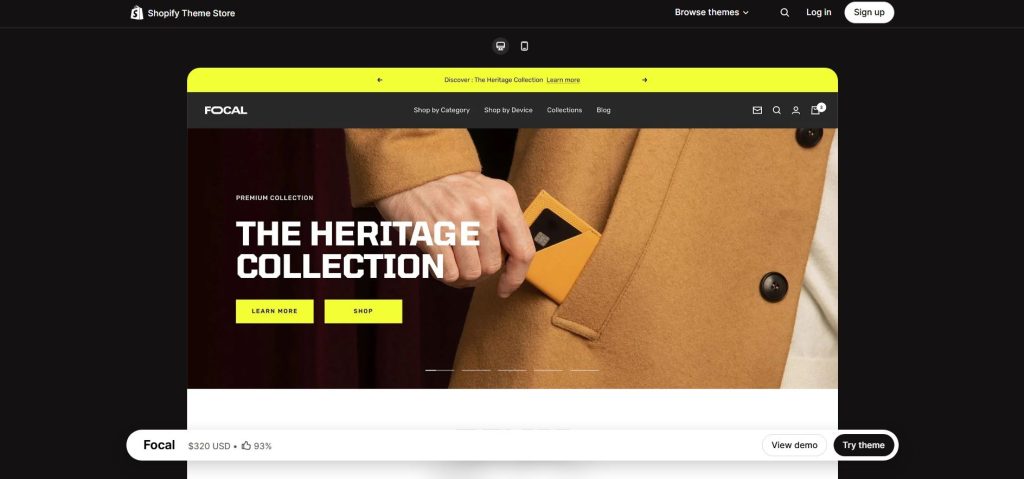
4. Focal
Focal is another strong option for stores that want a modern and visually engaging storefront.
Its design can work particularly well for brands that depend on product photography and want to create an attractive shopping experience.
Key Features
Focal offers flexible content sections, collection layouts, product recommendations, filtering, quick shopping features, and promotional tools.
A baby clothing store could use different homepage sections to introduce new arrivals, best sellers, seasonal collections, and age-based categories.
Why Choose Focal?
The theme can help stores balance product discovery with visual branding. This is useful for kids’ brands that want their storefront to feel playful while still looking professional.
Best for:
Kids’ fashion, baby clothing, accessories, and lifestyle brands.
5. Motion
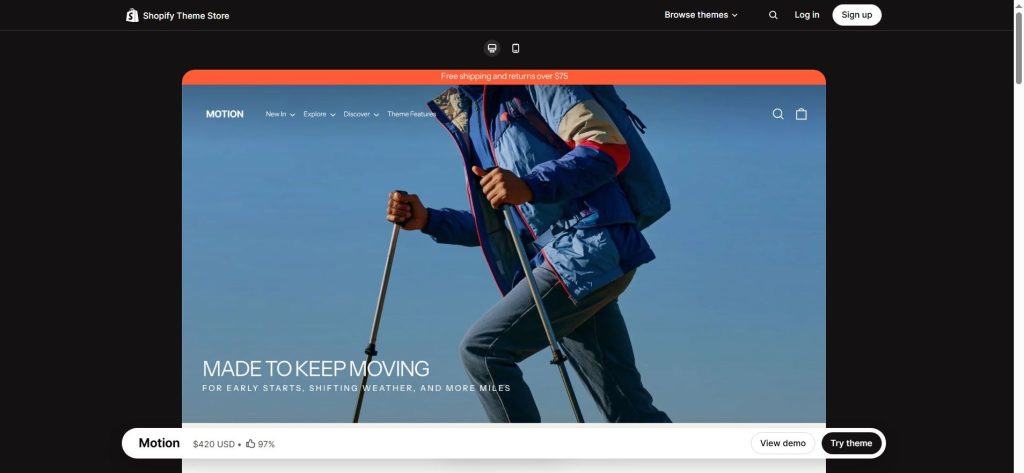
Motion is a good choice for brands that want to add movement and visual storytelling to their Shopify store. Baby and kids brands often use lifestyle photography, videos, and animations to show products in real-world situations. Motion can help make these visual elements part of the shopping experience.
Key Features
Motion includes animation options, video support, promotional sections, collection layouts, product recommendations, and flexible content blocks.
For example, a toy store could use video content to demonstrate how a product works, while a kids’ fashion brand could showcase outfits through lifestyle videos.
Why Choose Motion?
Visual content can help customers understand products better. Motion can be useful when videos and animations are an important part of your brand’s marketing strategy.
Best for:
Toy stores, kids’ lifestyle brands, clothing brands, and visually focused stores.
6. Craft
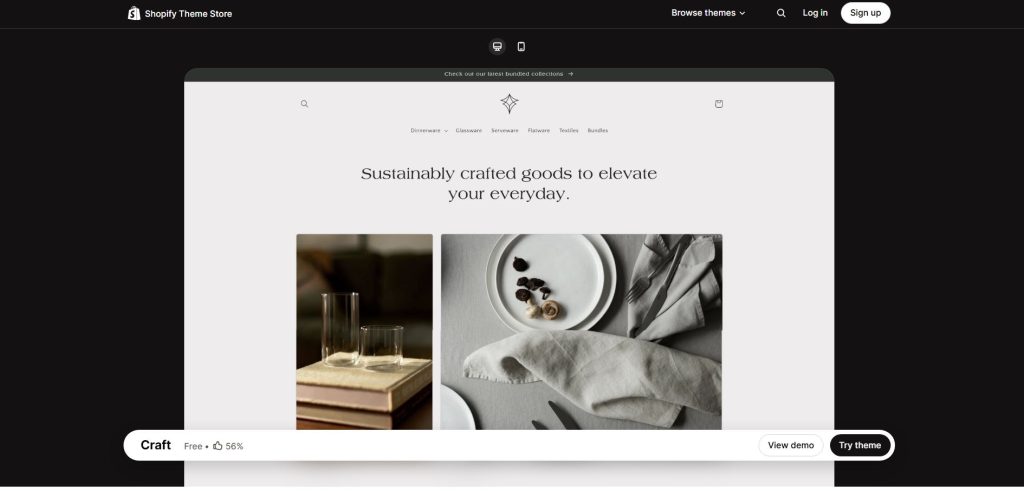
Craft is designed around storytelling and a clean, editorial-style shopping experience. It can be a good choice for baby brands that want to communicate quality and authenticity.
For example, a store selling handmade baby products, wooden toys, organic clothing, or nursery products could use Craft to highlight the story behind its products.
Key Features
Craft provides flexible content sections, large imagery, product recommendations, collection layouts, and storytelling-focused sections.
Why Choose Craft?
Parents often pay attention to product quality, materials, safety, and how products are made. A storytelling-focused theme can give you space to communicate these details.
Best for:
Handmade baby products, organic products, wooden toys, and sustainable children’s brands.
7. Refresh
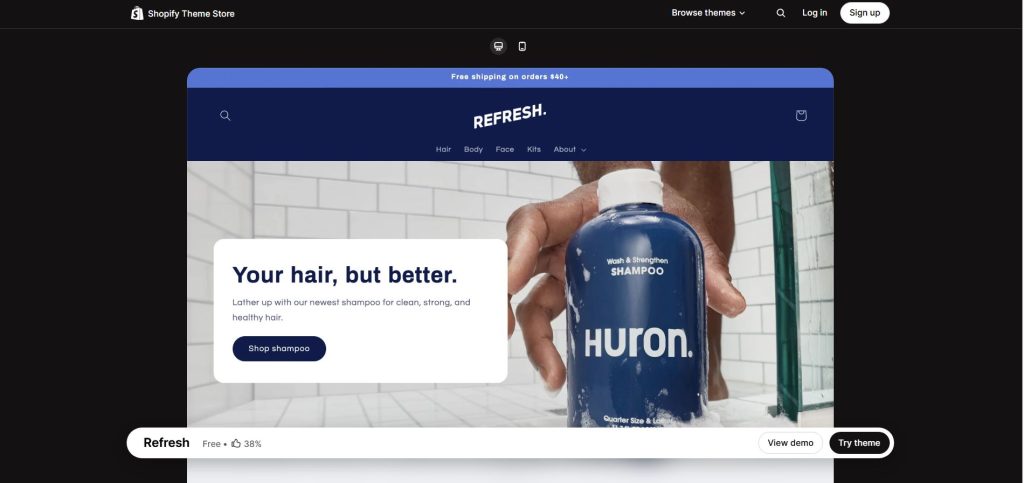
Refresh is a clean and modern theme that can work well for brands that want their products to take centre stage. Its straightforward design makes it suitable for stores that want a simple shopping journey without too many distractions.
Key Features
Refresh includes flexible sections, product recommendations, promotional areas, collection displays, responsive layouts, and product-focused design.
A baby essentials store could use it to create dedicated sections for feeding products, bath products, baby care items, and nursery essentials.
Why Choose Refresh?
The theme provides a balance between branding and usability. It can be a practical choice for smaller baby and kids stores that want a professional storefront without an overly complex design.
Best for:
Baby essentials, children’s products, small brands, and new Shopify stores.
What Should You Look for in a Baby & Kids Shopify Theme?
Before choosing a theme, it is important to understand what your store actually needs. A visually attractive theme is not enough. It should also make shopping easy for parents and caregivers.
Easy Navigation
Baby and kids stores can have many product categories, such as clothing, toys, shoes, feeding products, nursery items, and accessories. A theme with clear navigation helps customers quickly find what they need.
Mega menus, collection pages, filters, and search features can be especially useful for stores with a large catalogue.
Strong Product Images
Parents often want to see products clearly before buying. Your theme should give you enough space to display high-quality product photos, different product angles, colours, sizes, and product details.
A clean product page can also make your store look more professional and trustworthy.
Mobile-Friendly Design
Many customers browse and shop from their phones. Your Shopify theme should work smoothly on mobile devices, with readable text, easy navigation, and buttons that are simple to tap.
A mobile-friendly design is especially important because parents may be shopping while managing other daily tasks.
Product Filtering
If your store sells many products, filtering can save customers a lot of time. Useful filters may include:
- Age
- Size
- Gender
- Colour
- Price
- Product type
- Brand
- Material
These options can make it easier for shoppers to find suitable products.
Fast and Simple Shopping Experience
A complicated store can make customers leave before completing a purchase. Look for a theme that supports a simple browsing and checkout experience.
Features such as quick view, quick add to cart, sticky add to cart, and clear calls to action can help reduce unnecessary steps.
How to Choose the Right Shopify Theme for Your Baby & Kids Store
There is no single Shopify theme that is perfect for every baby and kids store. The right choice depends on your products, target audience, catalog size, and branding.
- If you are starting a small baby clothing store, a clean theme such as Dawn or Refresh may be enough.
- If you are running a larger kids’ fashion store, Impulse or Focal can provide more merchandising and collection options.
- For a premium baby brand, Prestige may be a better fit because of its polished visual presentation.
- If your products depend heavily on videos and visual storytelling, Motion can be a strong option.
- For handmade, organic, or sustainable children’s products, Craft can help you tell the story behind your brand.
Tips for Creating a Better Baby & Kids Shopify Store
Choosing the right theme is only the first step. You also need to optimize the store so parents can shop quickly and confidently.
Organize Products by Age
Age-based navigation can make shopping easier. Consider categories such as newborn, 0 to 3 months, 3 to 6 months, toddlers, and older kids where relevant to your products.
Use Clear Product Information
Parents may want to know the material, size, care instructions, dimensions, safety information, and other important details before purchasing.
Make this information easy to find on the product page.
Add High-Quality Product Photos
Show products from different angles and include lifestyle images when possible. For clothing, show how the product looks when worn. For toys, demonstrate size and usage through images or videos.
Make Add to Cart Easy
The path from product discovery to checkout should be simple. Clear Add to Cart and Buy Now buttons can help customers take action without confusion.
You can also consider tools that make adding products to the cart faster, especially on collection and homepage sections.
Highlight Reviews
Customer reviews can help build trust, especially for new parents who may be careful about what they purchase for their children.
Place reviews where shoppers can easily see them on product pages.
Create Helpful Collections
Instead of showing every product in one place, organize your catalogue into useful collections such as:
- Baby Clothing
- Kids’ Clothing
- Toys
- Baby Care
- Nursery
- Feeding
- Shoes
- Accessories
- New Arrivals
- Best Sellers
- Sale
This makes it easier for customers to browse your store.
Final Thoughts
The right Shopify theme can make a big difference for a baby and kids store. A good theme should do more than make your website look attractive. It should help parents find products easily, understand product details, trust your brand, and complete their purchases without unnecessary steps.
Dawn, Impulse, Prestige, Focal, Motion, Craft, and Refresh are all worth considering, but the best choice depends on your store’s products, audience, brand style, and business goals.
Before making a final decision, test the theme on both desktop and mobile devices. Check your navigation, collection pages, product pages, cart, and checkout journey. A beautiful theme is valuable, but a simple, fast, and easy shopping experience is what can ultimately help turn visitors into customers.
Join us as you begin your Shopify journey
We are e-commerce specialists and Shopify Partners. Get in touch with us if you need assistance with Shopify, need a whole website built, or have any other general questions.